Nano Stores
Nano Stores is a state library that allows for communication between Island components and OutSystems components.
Documentation
Section titled “Documentation”Refer to the full Nano Stores documentation for implementation of the library.
Nano Stores are currently supported for the following libraries:
Nano Stores for Angular is not currently supported.
Sharing state between Astro Islands
Section titled “Sharing state between Astro Islands”Create the objects inside of the stores folder (or other preferred structure). You can create a store and then have your components subscribe and update the stores. Refer to each libraries documentation on how to listen, subscribe and update.
Sharing state between OutSystems and Astro Islands
Section titled “Sharing state between OutSystems and Astro Islands”The OutSystems module, Lightweight State Manager, is available for both the O11 and ODC platforms.
- O11
- ODC
OutSystem currently supports the following structures:
In OutSystems, you need to use the Nano Stores component and pull in blocks for either Listen/Subscribe to an Atom or Map. The imported block will require a store name and a handler for changes that happen to the store value/map.
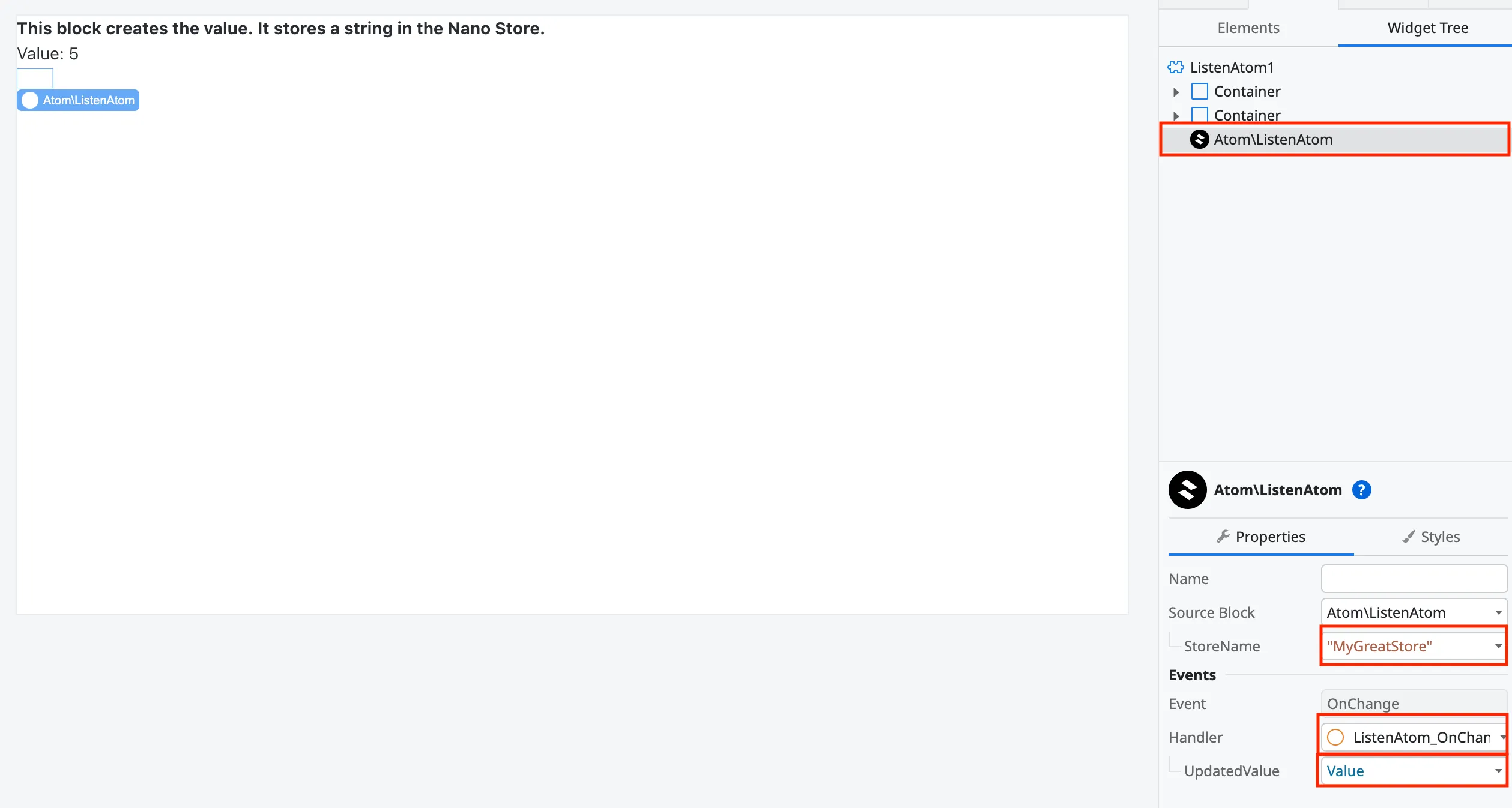
You can reference the Nano Store Atom or Map from the window inside of your component.
Preact:
import { useStore } from "@nanostores/preact";
export default function Counter({}) {  const nanoStoreValue = useStore(window.Stores["MyGreatStore"]);
  return (    <>        <div>            <strong>Nano Store value:</strong>            <div>{nanoStoreValue}</div>        </div>    </>  );}
React:
import { useStore } from "@nanostores/react";

export default function Counter({}) {  const nanoStoreValue = useStore(window.Stores["MyGreatStore"]);
  return (    <>        <div>            <strong>Nano Store value:</strong>            <div>{nanoStoreValue}</div>        </div>    </>  );}
Svelte:
<script lang="ts">  const nanoStoreValue = (window as any).Stores["svelteStore"];</script>
<div>{$nanoStoreValue}</div>
Vue:
<script setup lang="ts">import { useStore } from "@nanostores/vue";const nanoStoreValue = useStore(window.Stores["MyGreatStore"]);</script>
<template>    <div>          <div>{{ nanoStoreValue }}</div>    </div></template>